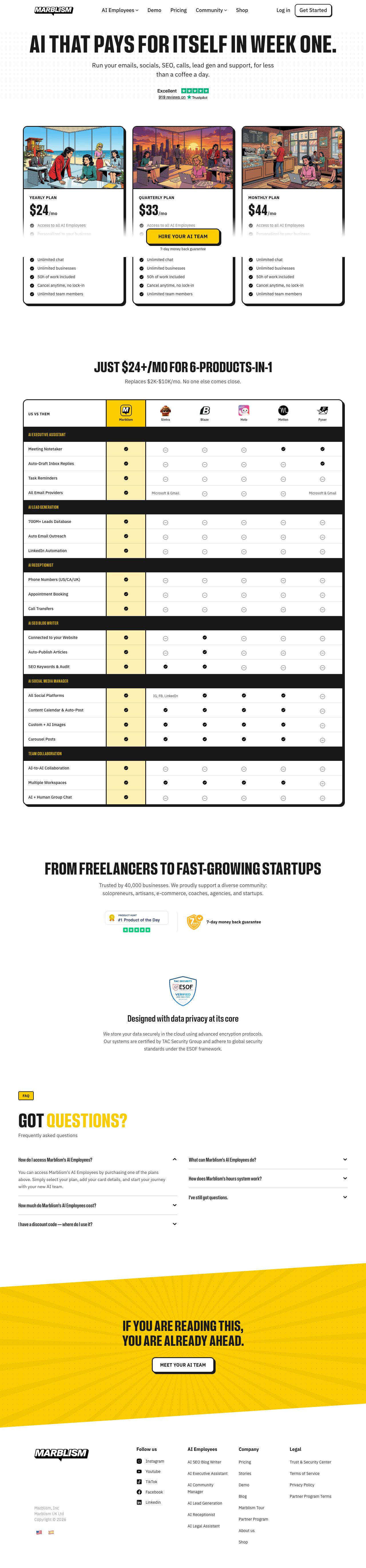
We compared 8 AI app builders for developers this year. Marblism stands out for full-stack applications, but the landscape has specific tools for specific use cases.
AI app builders have matured beyond simple CRUD generators. We're now seeing tools that understand complex state management, handle authentication flows, and generate production-ready code with proper error handling.
The key differentiator isn't just code quality — it's architectural decisions. The best tools make sensible choices about database schemas, API design, and component structure that you'd actually ship.
We evaluated each tool on three criteria: code quality out of the box, customization depth, and deployment friction. Here's what we found works for different development scenarios.
1.
Marblism
Best overall
Full-stack React apps with authentication and payments
Marblism generates complete React/Node.js applications with user authentication, Stripe payments, and database schemas. Across several projects, the code quality is consistently impressive.
The tool understands modern React patterns. Generated components use proper TypeScript interfaces, implement error boundaries, and follow accessibility best practices. The backend generates Express.js APIs with proper middleware, rate limiting, and SQL injection protection.
Database design is where Marblism shines. It creates normalized schemas with proper foreign key relationships and generates Prisma migrations that actually work. Most AI builders create flat, denormalized tables that break at scale.
Pricing starts at $20/month for unlimited projects. The generated code includes no vendor lock-in — you get clean React/Node.js that you can modify and deploy anywhere.
Component-first UI generation with Next.js integration
v0 excels at generating individual React components and small applications. The UI quality is exceptional — it understands design systems and generates components that look production-ready without additional styling work.
The tool integrates directly with Next.js and Vercel's deployment pipeline. Generated components include proper TypeScript props, responsive design patterns, and accessibility attributes. We used it for rapid prototyping client dashboards.
Limitations become apparent on larger applications. v0 struggles with complex state management and doesn't generate backend APIs. It's best for frontend components and landing pages.
Currently free in beta with usage limits. Paid tiers start at $20/month when it exits beta.
3.
Cursor
Best for existing projects
AI-powered IDE with codebase-aware generation
Cursor transforms your existing development workflow rather than replacing it. The AI understands your entire codebase context and generates code that fits your existing patterns and architecture.
Cursor fits naturally into an existing development workflow. The AI suggests refactors, implements new features, and debugs issues while maintaining code consistency. It's particularly strong with TypeScript and React.
The difference from other tools is context awareness. Cursor knows your database schema, API routes, and component structure. Generated code integrates seamlessly without breaking existing functionality.
Pricing is $20/month per developer. The investment pays off quickly in reduced development time, especially on large codebases.
Advertisement
4.
Bolt (StackBlitz)
Best for prototyping
Browser-based full-stack development with instant deployment
Bolt runs entirely in the browser and generates full-stack applications with instant preview and deployment. The development experience is smooth — no local setup required.
Code quality is solid for prototypes and demos. Bolt generates React frontends with Express.js backends, includes basic authentication, and handles database connections through Supabase integration.
Browser limitations become apparent on complex applications. Large codebases run slowly, and you can't use certain Node.js packages. It's excellent for rapid prototyping but not production development.
Free tier includes basic features. Pro plans start at $20/month for enhanced performance and private projects.
5.
Claude Artifacts
Best for interactive components
Interactive React component generation and iteration
Claude generates React components with live preview and iterative refinement. The interface allows real-time feedback and modifications without switching between tools.
Component quality is excellent for single-purpose widgets and interactive demos. Claude understands complex UI interactions and generates working JavaScript logic alongside the React components.
Limitations include no backend generation and no project persistence. Each artifact exists independently without broader application context.
Included with Claude Pro at $20/month. No separate pricing for the artifacts feature.
6.
Replit Agent
Best for collaboration
Natural language to full applications with collaborative editing
Replit Agent builds complete applications from natural language descriptions and includes collaborative editing features. The generated code runs immediately in Replit's environment.
Application scope is impressive — the agent can build multi-file projects with frontend, backend, and database components. Code quality varies but includes proper error handling and basic security practices.
The collaborative features work well for team prototyping, but the generated code is tightly coupled to Replit's environment. Exporting projects requires significant modification.
Free tier includes basic agent usage. Paid plans start at $10/month for enhanced features and resources.
7.
GitHub Copilot Workspace
Best for feature planning
AI-powered planning and implementation for GitHub repositories
Copilot Workspace plans and implements features across entire GitHub repositories. It analyzes existing code, creates implementation plans, and generates pull requests with the necessary changes.
The planning phase is excellent — Workspace breaks down complex features into manageable tasks and identifies potential integration points. Generated code maintains consistency with existing patterns.
Currently in limited beta with no public pricing announced. Based on GitHub's existing Copilot pricing, expect $10-20/month when generally available.
Advertisement
8.
Windsurf Editor
Best for multi-file generation
AI-first editor with multi-file code generation
Windsurf generates code across multiple files simultaneously while maintaining architectural consistency. The editor understands project structure and creates coherent implementations.
Code generation quality is solid for standard web applications. The AI handles routing, state management, and API integration competently across React and Node.js projects.
The editor feels early-stage with occasional stability issues. Feature set is more limited than Cursor or other established AI coding tools.
Currently free in beta. Pricing not yet announced for general availability.
Research desk · verified pricingCaptured June 2026
For most development teams, Marblism provides the best balance of code quality, architectural decisions, and deployment simplicity. If you're building React applications with standard authentication and payment requirements, it's the clear choice. For existing codebases or more complex requirements, Cursor's context-aware approach delivers better results than starting from scratch.
Frequently asked questions
Answered by The Editor, with notes from Atlas and Roxy.
Do AI app builders generate production-ready code?
The top tools like Marblism and Cursor generate code suitable for production with review. The key is understanding each tool's strengths and limitations. Always review generated code for security vulnerabilities and performance issues before deploying.
How much does AI app building actually cost?
Most tools cost $20/month per developer, but the real cost includes deployment, hosting, and maintenance. Factor in 20-30% additional time for code review and customization even with the best AI builders.
Can I customize the generated code?
Yes, all recommended tools generate standard code without vendor lock-in. Marblism creates React/Node.js, Cursor works with your existing stack, and v0 generates standard React components. You own the code completely.
Which AI app builder works best for complex applications?
Cursor excels for complex existing applications because it understands your entire codebase context. For new complex applications, Marblism handles authentication, payments, and database relationships better than other tools.
Do I need coding experience to use AI app builders?
Basic programming knowledge is essential for production applications. While tools like Replit Agent work for non-developers, you'll need to understand databases, APIs, and deployment to build anything beyond simple prototypes.
How do AI app builders handle database design?
Quality varies significantly between tools. Marblism creates proper normalized schemas with foreign keys and migrations. Simpler tools often generate flat tables that don't scale. Always review and optimize the database design for your specific use case.
Analytics run in a privacy-safe, cookieless mode by default. Accept to enable
full analytics and personalized ads, which helps keep this research free. See our Privacy Policy.